 TV Remote user guide
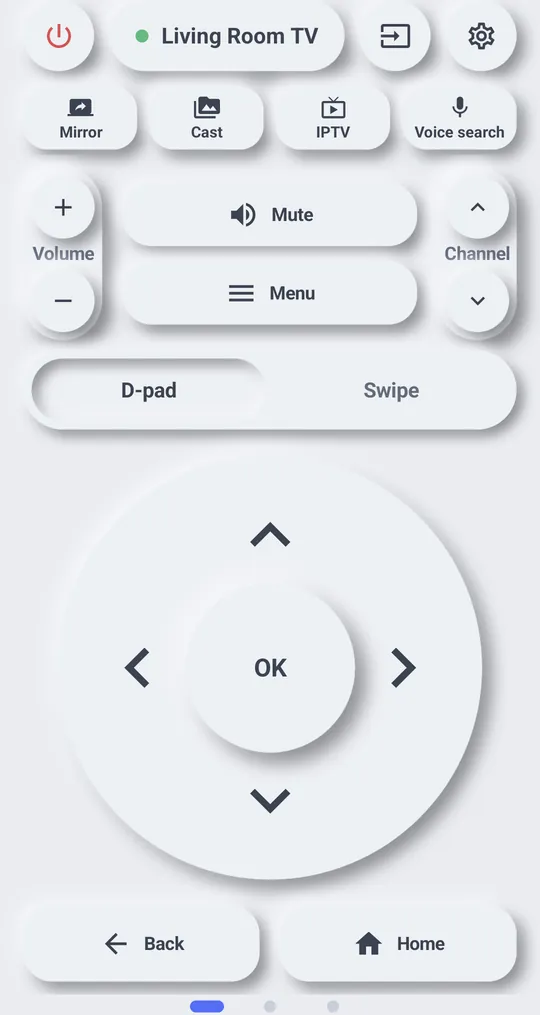
Use your phone as a Google TV or Android TV remote
TV Remote works with Android TV, Google TV and Chromecast with Google TV on the same Wi‑Fi. You enter a code once, then it connects without a code.
Connect
- Put the phone on the same Wi‑Fi as the TV and turn the TV on.
- Open TV Remote and tap your TV in the list.
- The TV shows a 6-digit code. Enter it in the app.
- Done. The TV is saved and reconnects without a code.
- No code on the TV? Tap “No code on the TV · Show the code again”.
- “That code did not match”: check the TV screen and enter it again.
- Still failing? Under the TV list, tap “Clear pairing and start over”. You will enter the code again.
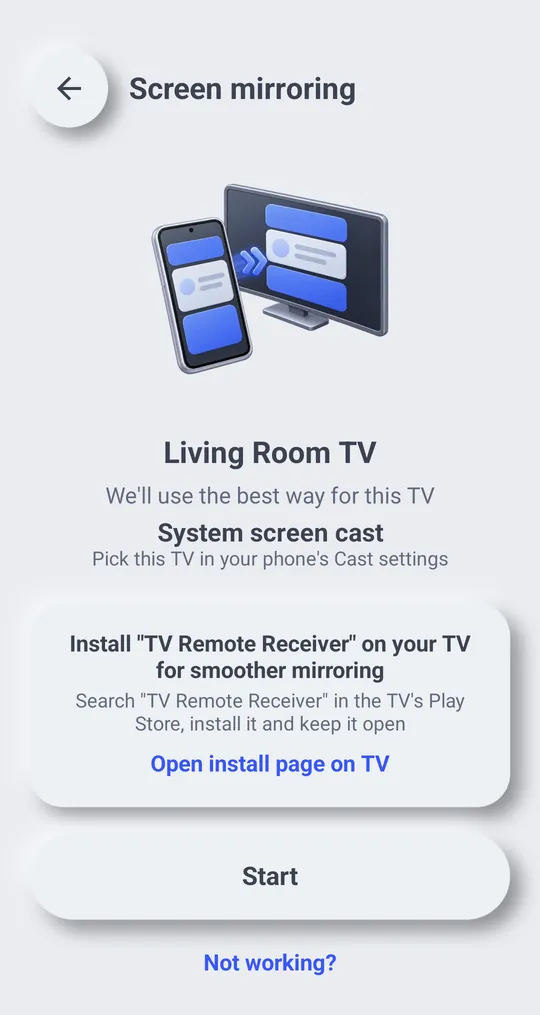
Mirror your phone screen
Install "TV Remote Receiver" from the TV\'s Play Store and keep it open. Mirroring sends to it first. Phone and TV must be on the same Wi‑Fi.
TV Remote Receiver on Google Play
TV volume does not change?
If the TV volume does not change through a Chromecast or Android TV box, the app connects to the TV directly to change it. See TV volume.
Older Chromecast
TV Remote cannot control a Chromecast without Google TV like a remote, but you can send photos, videos and music to it. See Send photos, videos and music to the TV.